What /today answers
Today Overview is the broad market-activity page. It answers how many token creations and trades Pumpscan currently observes, when activity peaked inside a chosen recent window, how buy and sell flow changed by bucket, and how standard Meme Coin, Mayhem, and Charity activity differs.
Two time scopes coexist on the page. The top eight cards come from the live overview snapshot and are labeled as today's activity. The Activity section requests an explicit rolling window ending at the next bucket boundary. Changing the hour stepper changes only that Activity section; it does not recalculate the headline cards.
| Surface | Source and scope |
|---|---|
| Open /today | Live daily headline snapshot plus selected rolling-window analysis. |
| Eight headline cards | metrics.overview WebSocket snapshot; reconnects after a dropped connection. |
| Trend cards | /api/v1/overview/trends for the exact selected window and bucket size. |
| Event charts | /api/v1/overview/charts for the same selected window. |
| Token-type widgets | /api/v1/overview/widgets for the same selected window. |
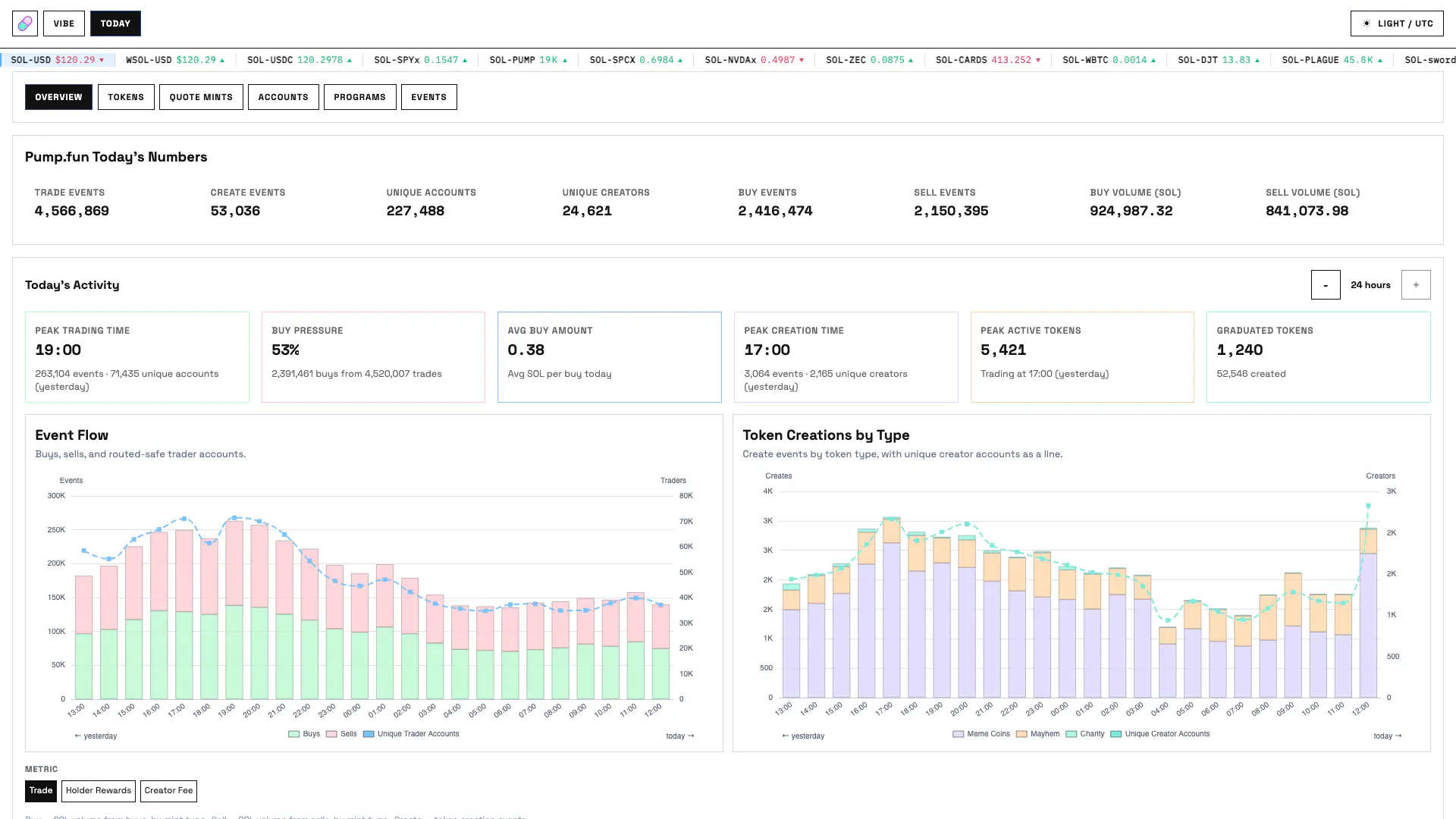
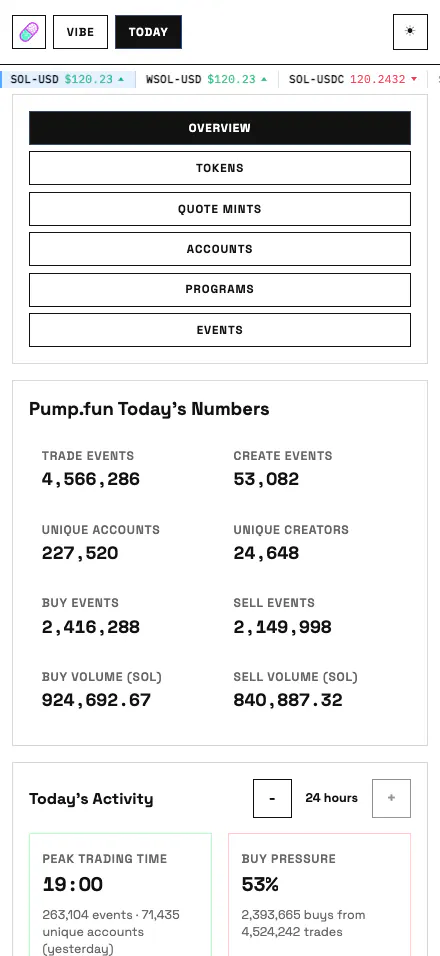
Live headline snapshot
The WebSocket subscribes to metrics.overview. A cache-unavailable message or stream error is shown on the page; closed sockets retry after the configured reconnect delay. These metrics describe decoded, retained Pumpscan observations rather than chain-wide lifetime totals.
| Card | Definition |
|---|---|
| Trade Events | Decoded TradeEvent count in the current overview snapshot. |
| Create Events | Decoded CreateEvent count in the current overview snapshot. |
| Unique Accounts | Distinct trader or creator wallets selected by the routed-safe account attribution logic. |
| Unique Creators | Distinct wallets attributed as creators from retained CreateEvent or creator-side evidence. |
| Buy Events | TradeEvent rows whose decoded is_buy field is true. |
| Sell Events | TradeEvent rows whose decoded is_buy field is false. |
| Buy Volume (SOL) | Sum of normalized quote amount for observed buy trades, converted from lamports to SOL. |
| Sell Volume (SOL) | Sum of normalized quote amount for observed sell trades, converted from lamports to SOL. |
Rolling window and bucket sizes
The Activity stepper accepts every whole-hour value from one through 24 and defaults to 24. The browser stores the chosen interval, metric mode and each panel's submetric so returning to the page restores the last view.
The client aligns the window end to the next bucket boundary, then subtracts the selected number of hours. Trends, charts and widgets therefore receive identical window_start_ms, window_end_ms and bucket_size_ms parameters. HTTP data refreshes every six seconds, and the window advances when a new bucket begins.
- Peak labels and chart axes use the display timezone selected in site preferences.
- When a rolling window crosses a UTC-day boundary, the chart marks the older and newer portions as yesterday and today.
- A bucket is a half-open time interval: an event at the ending boundary belongs to the next bucket.
| Selected interval | Bucket width |
|---|---|
| 1 hour | 5 minutes |
| 2 hours | 10 minutes |
| 3–4 hours | 20 minutes |
| 5–9 hours | 30 minutes |
| 10–24 hours | 1 hour |
Activity trend cards and formulas
| Card | Calculation |
|---|---|
| Peak Trading Time | Bucket with the greatest TradeEvent count. The supporting line gives that bucket's event count and distinct routed-safe trader accounts. Empty buckets are ignored and equal maxima resolve to the earliest bucket. |
| Buy Pressure | 100 × selected-window buy event count ÷ (buy event count + sell event count). It is 0% when the denominator is zero. |
| Avg Buy Amount | Headline snapshot buy lamports ÷ headline snapshot buy-event count, displayed as SOL. A dash is shown when no buys exist. Unlike the other Activity cards, this is explicitly the average per buy today, not a selected-window average. |
| Peak Creation Time | Bucket with the greatest CreateEvent count. The supporting line gives creates and distinct creator accounts. Empty buckets are ignored and equal maxima resolve to the earliest bucket. |
| Peak Active Tokens | Bucket with the greatest number of distinct mints appearing in TradeEvent rows. Equal maxima resolve to the earliest bucket. |
| Graduated Tokens | Exact CompletePumpAmmMigrationEvent count in the selected window. The supporting created value is the independent CreateEvent count in that window; it is context, not the denominator of a conversion-rate calculation. |
Hourly activity charts
Bar heights are bucket counts, while each line uses its own account-count axis. Hovering a chart aligns all visible series to the same bucket. Empty responses show an explicit no-buckets message instead of fabricating zeros.
| Chart | Series and interpretation |
|---|---|
| Event Flow | Stacked Buy Events and Sell Events bars plus a Unique Trader Accounts line. The tooltip also reports all events in the bucket; the unique count is per bucket and cannot be added across buckets to obtain a window-wide distinct total. |
| Token Creations by Type | Stacked Meme Coins, Mayhem, and Charity CreateEvent bars plus a Unique Creator Accounts line. Meme Coin is the standard non-Mayhem, non-Charity classification; flag categories come from observed or cached mint flags. |
Token-type widgets
The lower section has independent Meme Coins, Mayhem and Charity panels. The Metric control selects Trade, Holder Rewards or Creator Fee for all panels; within each panel, its own selected submetric determines the total and heat row. Because submetric choices are stored per panel, the three panels can show different submetrics inside one mode.
| Mode | Submetric | Displayed value |
|---|---|---|
| Trade | Buy | Sum of normalized buy-side SOL for that token type. |
| Trade | Sell | Sum of normalized sell-side SOL for that token type. |
| Trade | Create | CreateEvent count for that token type. |
| Holder Rewards | Allocated | Holder rewards routed by decoded trades for that token type, normalized to SOL. |
| Holder Rewards | Core swept | SweepBondingCurveFeeEvent amount moved from a bonding curve by SweepCreatorFee to the mint's Holder Rewards vault. |
| Holder Rewards | Buy | Buy-side trade SOL where holder rewards were routed. |
| Holder Rewards | Sell | Sell-side trade SOL where holder rewards were routed. |
| Creator Fee | Earned | Decoded creator fee accrued from trades for that token type. |
| Creator Fee | Core swept | SweepBondingCurveFeeEvent amount moved from a bonding curve by SweepCreatorFee to any recipient other than the mint's Holder Rewards vault, for that token type. |
| Creator Fee | Claimed | CollectCreatorFeeEvent value for all token types. The same total is shown in every token-type panel because a claim does not provide a reliable type split. |
| Creator Fee | Volume | Buy-side plus sell-side trade SOL where a creator fee is present; this is fee-bearing trade volume, not fee earnings. |
Reading the heat rows and tooltips
- Each heat cell represents one Activity bucket and follows the same left-to-right window as the charts.
- Cell height and opacity are normalized against the largest value for the currently selected metric inside that token-type panel. They show relative timing, not a shared absolute scale across all three panels.
- A zero bucket remains faintly visible so the window structure is readable.
- Hover text reports bucket time, the selected metric, trade and side counts, buy and sell volume, creates, holder rewards allocated/swept and qualifying buy/sell volume, and creator fee earned/swept/claimed.
- Read the displayed number or tooltip for exact comparisons; do not infer a cross-panel ratio from heat intensity alone.
Interpretation limits
- Counts depend on successfully decoded Pump-related events available to the configured cache and ingestion pipeline.
- SOL values are observed quote flow. They are not wallet profit, realized P&L, liquidity or token market value.
- Unique-account values use Pumpscan attribution rules for routed transactions and are deduplicated within their stated scope.
- Mayhem and Charity classification can be updated when later mint evidence arrives; retained buckets can be reclassified while the supporting events remain available.
- Graduation is evidenced only by a decoded completion event. Created and graduated totals should not be divided into a protocol conversion rate without cohort matching.
- Screenshots document layout and controls. For current values, open /today or query the overview endpoints.